
How to Grow on Threads in 2026: Get Followers and More Views
2026-10-14
To grow on Threads, reply to people in your niche as much as you post, write original posts that start conversations, stick to two or three clear topics, and check your numbers to see what's working. Threads head Adam Mosseri has repeatedly said replying is about as valuable as posting for growth. That's the single most useful confirmed fact for anyone starting out.
This guide turns that into a plan for getting your first followers, getting more views, and growing faster without tricks that get penalized.
How do you grow on Threads in 2026?
Growth on Threads comes from three sources:
| Source | How you earn it | | ------------------------------ | ---------------------------------------------------------- | | Your followers' feeds | Posts your followers engage with | | Recommendations (For You feed) | Posts the ranking system predicts non-followers will value | | Other people's conversations | Replies you leave on posts with bigger audiences |
Since November 2024, Meta has shifted ranking toward accounts people follow, so recommendations to strangers are harder to get than in Threads' first year. That makes the third source, replying, more important. It's also the one you fully control.
How to get followers on Threads when you're starting from zero
1. Set up a profile that says what you post
People decide whether to follow in a few seconds. Your bio should answer "what will I get if I follow you?" in one line. Use a clear photo, and add links (Threads allows up to five profile links) only if they help.
2. Pick two or three topics
Accounts that post consistently about a few topics are easier for both people and the ranking system to place. Write your topics down and check new posts against them.
3. Reply before you post
Spend 15–20 minutes replying to posts in your niche, especially from accounts a bit bigger than yours. Add something: an example, a counterpoint, a question. "Great post!" adds nothing. Good replies are how most new accounts get their first profile visits.
4. Use your Instagram audience
Threads was built on Instagram's account graph, and Instagram activity seeds recommendations for new users. If you have an Instagram following, tell them you're on Threads and what you post there. Threads posts can also be shared to Instagram.
5. Post original material
Mosseri has signaled that original content is prioritized. Your own experience, results, mistakes and opinions work better than summaries of what everyone else said.
How to get more views on Threads
Views come before followers. To get more of them:
- Open with the point. The first line decides whether people stop. Put the claim, number or question first.
- Ask for a real answer. A specific question ("What's one tool you stopped paying for this year?") gets replies. Vague prompts don't.
- Use one topic tag. Each post can carry one topic tag, a single word with no
#. It puts the post in that topic's feed. Choose the word your reader would follow. - Post in Communities. Threads Communities (launched October 2025, 200+ topics) gather people by interest. Posting in an active one reaches people who already care about the subject.
- Reply to your replies. Each reply keeps the conversation going and gives the post more activity.
- Post when your audience is online. See the best time to post on Threads for how to find your slots.
How to grow fast on Threads (without getting penalized)
There's no safe shortcut, but some habits speed things up:
- Reply daily on larger accounts in your niche. This is the fastest way to be seen by people who don't follow you yet.
- Turn your best-performing posts into series. If a post did well, follow up with a part two or a deeper version.
- Collaborate. Quote-post and discuss other creators' posts with a real take. Both audiences see it.
- Stay consistent for weeks, not days. Recommendations respond to consistent behavior over time.
What to avoid:
- Engagement bait like "comment YES if you agree". It's reportedly penalized.
- Follow-for-follow and bought followers. They inflate a number but don't engage, which weakens your posts' signals.
- Copying viral posts. Unoriginal content is the opposite of what Threads says it wants.
- Posting about everything. Topic drift makes you harder to recommend.
How to grow a Threads account with data
Most creators guess. You'll grow faster if you check a few numbers every week:
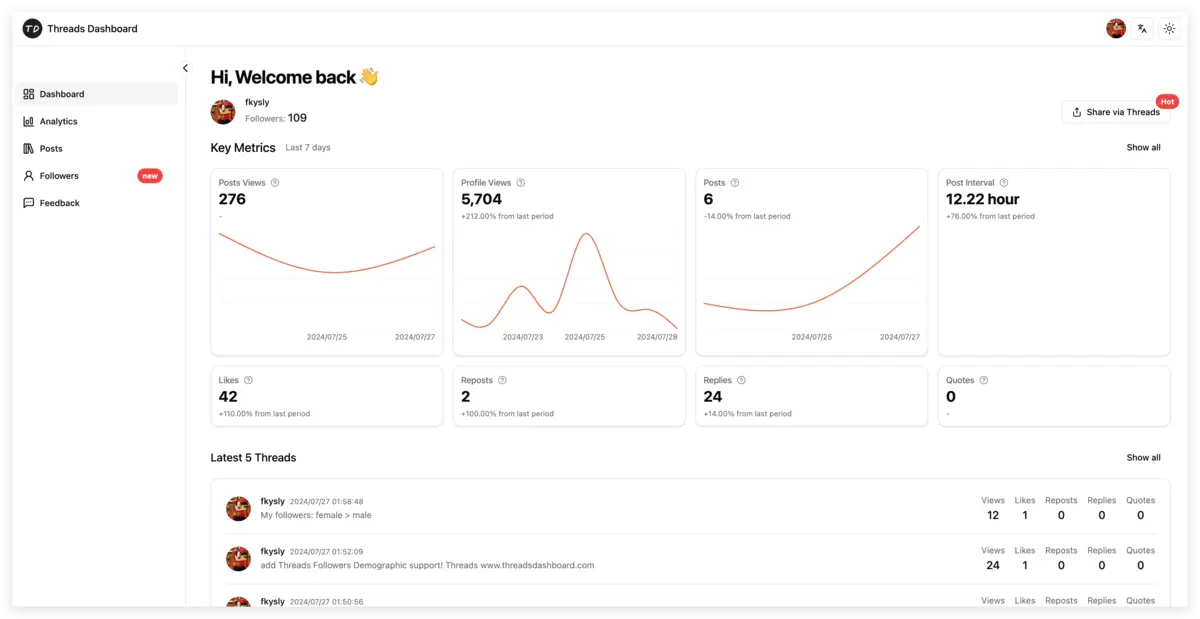
| Metric | What it tells you | | ---------------------- | ------------------------------------------------ | | Views per post | Which topics and formats reach people | | Replies per post | Which posts start conversations | | Engagement rate | (likes + replies + reposts + quotes) ÷ views | | Follower growth by day | Which posts actually brought followers | | Profile views | Whether your posts make people curious about you |
Threads Insights shows some of this for up to 90 days, but it doesn't calculate engagement rate per post, show the best time to post, or let you sort your posts by performance.
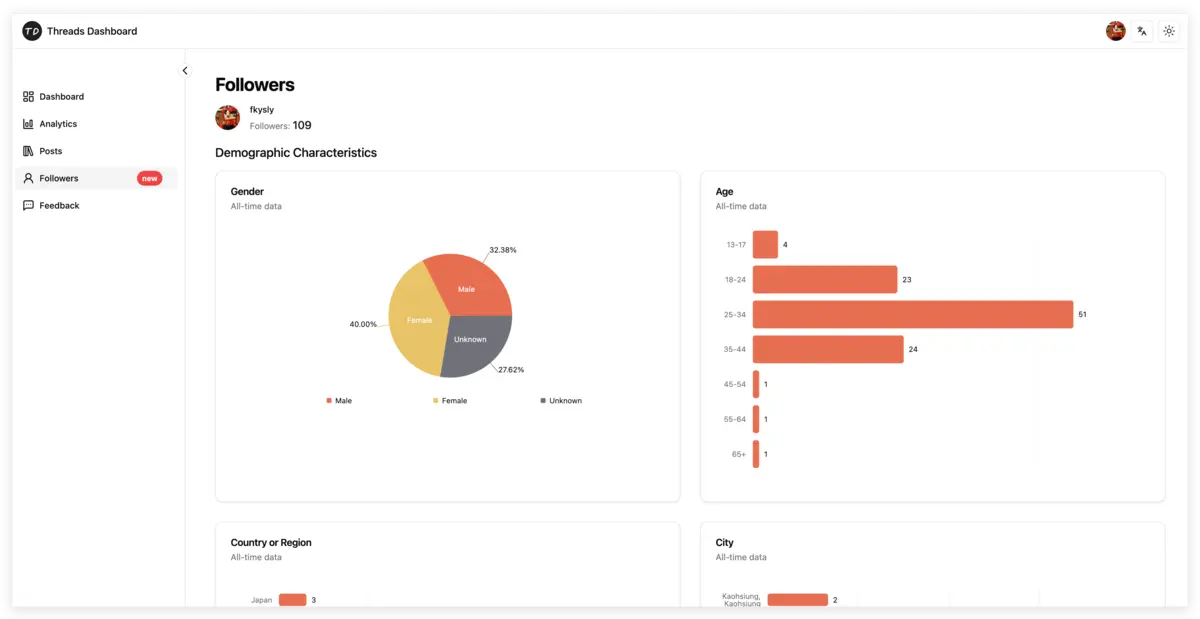
Threads Dashboard fills those gaps. It signs in through the official Threads API (read-only, no password) and shows follower growth, views, likes, replies, reposts and quotes for each post over time, profile views, and follower demographics. You can sort your posts by views or engagement, export them to CSV, and see which hours and weekdays work best for your account.
A simple weekly routine
- Monday: look at last week's top three posts by views and by replies. What do they have in common?
- Every day: 15–20 minutes of replies in your niche, then one or two posts.
- Midweek: post a follow-up to last week's best topic.
- Friday: check follower growth by day. Which days gained the most, and what did you post?
- Monthly: drop the topic or format that consistently underperforms.
Common questions
How long does it take to grow on Threads?
It varies a lot by niche and effort. Most accounts need several weeks of consistent replying and posting before growth becomes steady. Judge progress by month, not by day.
Why am I not getting followers on Threads?
Common reasons: your bio doesn't say what you post, your topics are scattered, you post but rarely reply, or your posts don't give people anything to respond to. Check which of your posts got profile views and replies, and do more of that.
Do I need 100 followers for anything on Threads?
Audience demographics in Insights unlock at 100 followers on personal accounts. Basic view and interaction numbers are available before that.
Does posting more often help?
Only if quality holds. Consistency over weeks matters more than volume. Many creators do better with fewer posts and more replies.
Does my Instagram following help on Threads?
Yes, at the start. Threads uses your Instagram connections to seed recommendations. You still have to give those people a reason to follow you on Threads.
Start tracking your growth
Growth is easier when you can see which posts brought followers. Threads Dashboard shows follower growth, per-post performance and your best posting times from your own data. The free plan never expires, and Pro keeps 365+ days of history (native Insights stops at 90) for $9.99/month.